Your crew changes your edge.
See how crew weight shifts performance across every wind condition — with the physics to explain why.
Explore Your Edge See the Edge Map →See how crew weight shifts performance across every wind condition — with the physics to explain why.
Explore Your Edge See the Edge Map →One checkbox. One number. A whole new edge map.
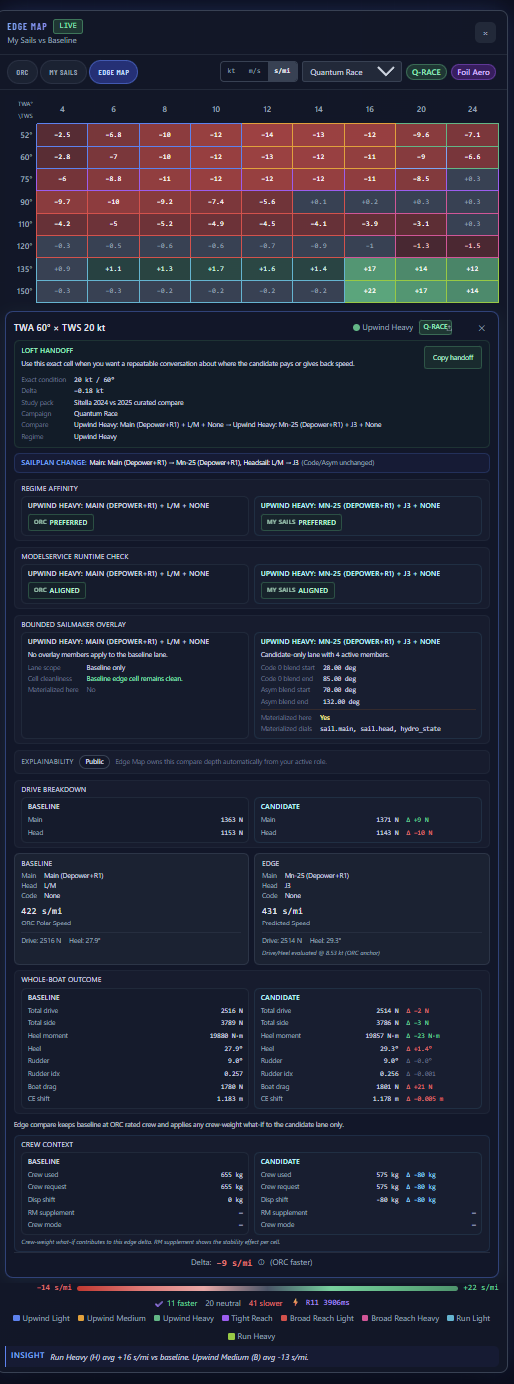
Green where lighter crew helps. Red where you need the weight. Across every wind condition — not a single-number guess, but a per-cell answer for every true wind angle and speed on the polar.
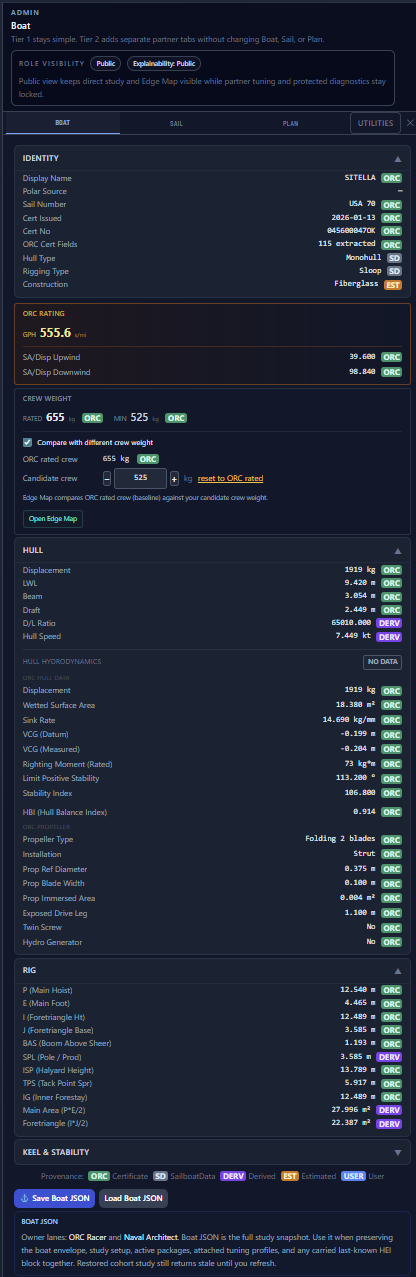
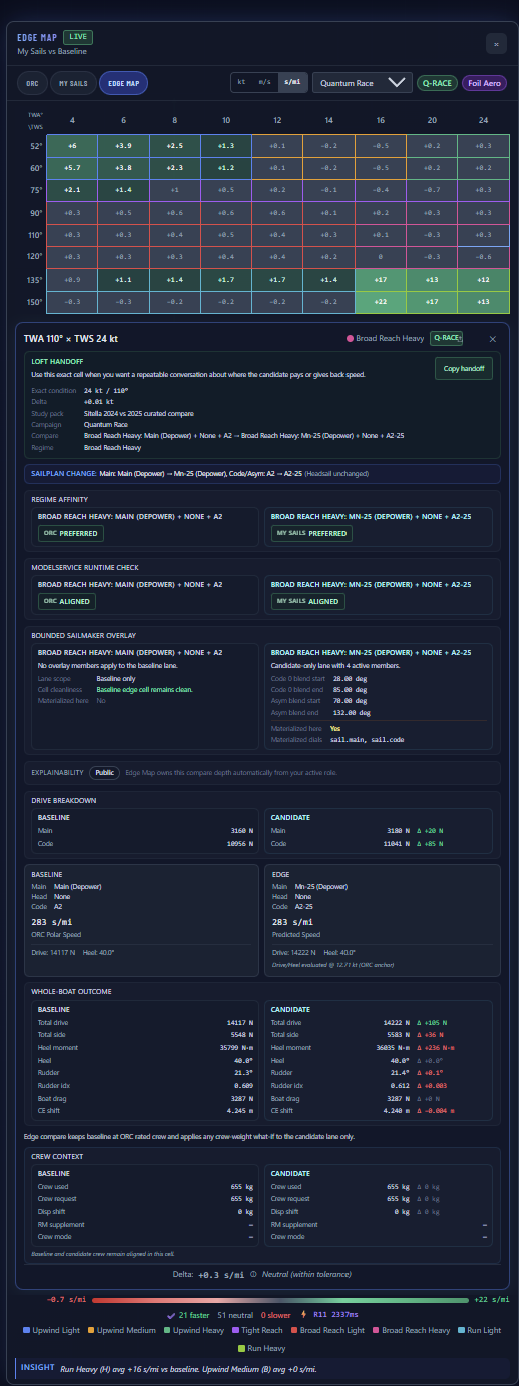
Sail with 7 instead of 8 and the edge map shifts: green in the reaching band where less displacement helps, red upwind where less righting moment costs you.
RM supplement tells you how much. Crew mode tells you why.
Crew on the rail, maximizing righting moment. Maximum RM supplement.
Smooth transition between rail and centerline. RM supplement scales with angle.
Crew on the centerline at low position. Minimal RM effect.
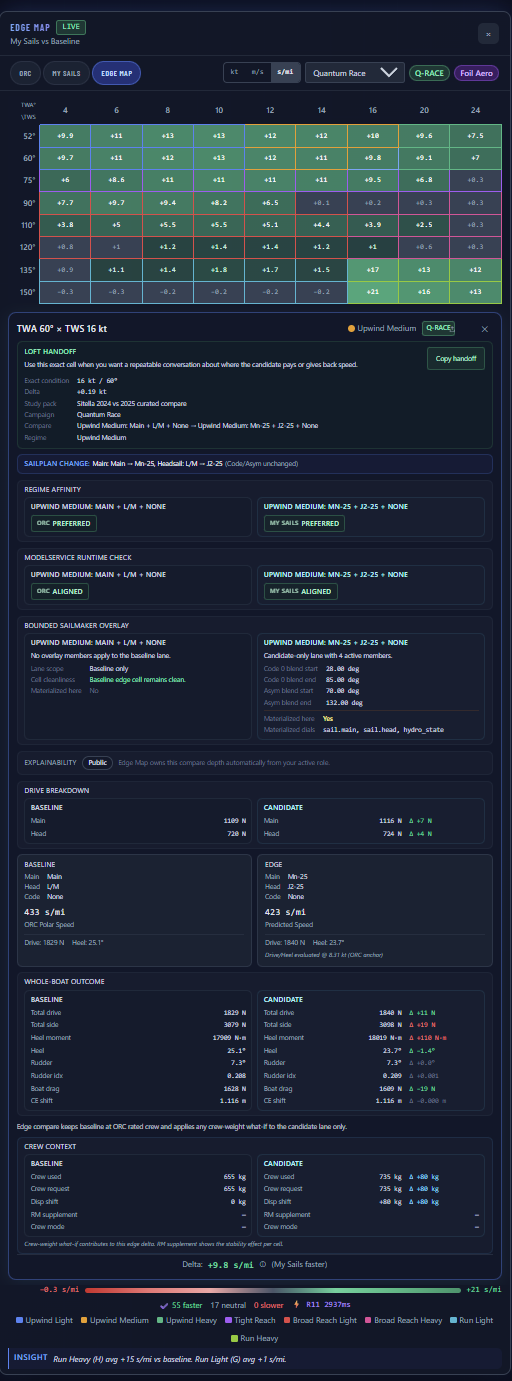
A customer sailed with 9 crew instead of the rated 8. The new sail didn’t deliver the expected edge downwind — but upwind, the map lit up green.
The extra crew weight added righting moment. Upwind in medium and heavy air, that means more stability, more drive, more speed. The sail wasn’t underperforming — the crew changed the balance.
Show them the RM supplement. Let the physics separate the sail’s contribution from the crew’s.
“Why didn’t the new sail make us faster downwind?”
Before crew weight explainability, that question led to warranty calls
and expensive re-cuts. Now the RM supplement shows the answer: the sail is
performing — the crew weight shifted the balance. Visible at Tier 1,
no Expert Mode needed.
Crew weight explainability is visible to your customers — no Expert Mode required.
Smooth TWA transitions. Physically consistent RM scaling. Validation-grade resolution.
See the NA Workflow →