Your hull. Visible.
Select the hull family that matches your boat — and see it before you commit.
Explore Your Edge For Racers →Select the hull family that matches your boat — and see it before you commit.
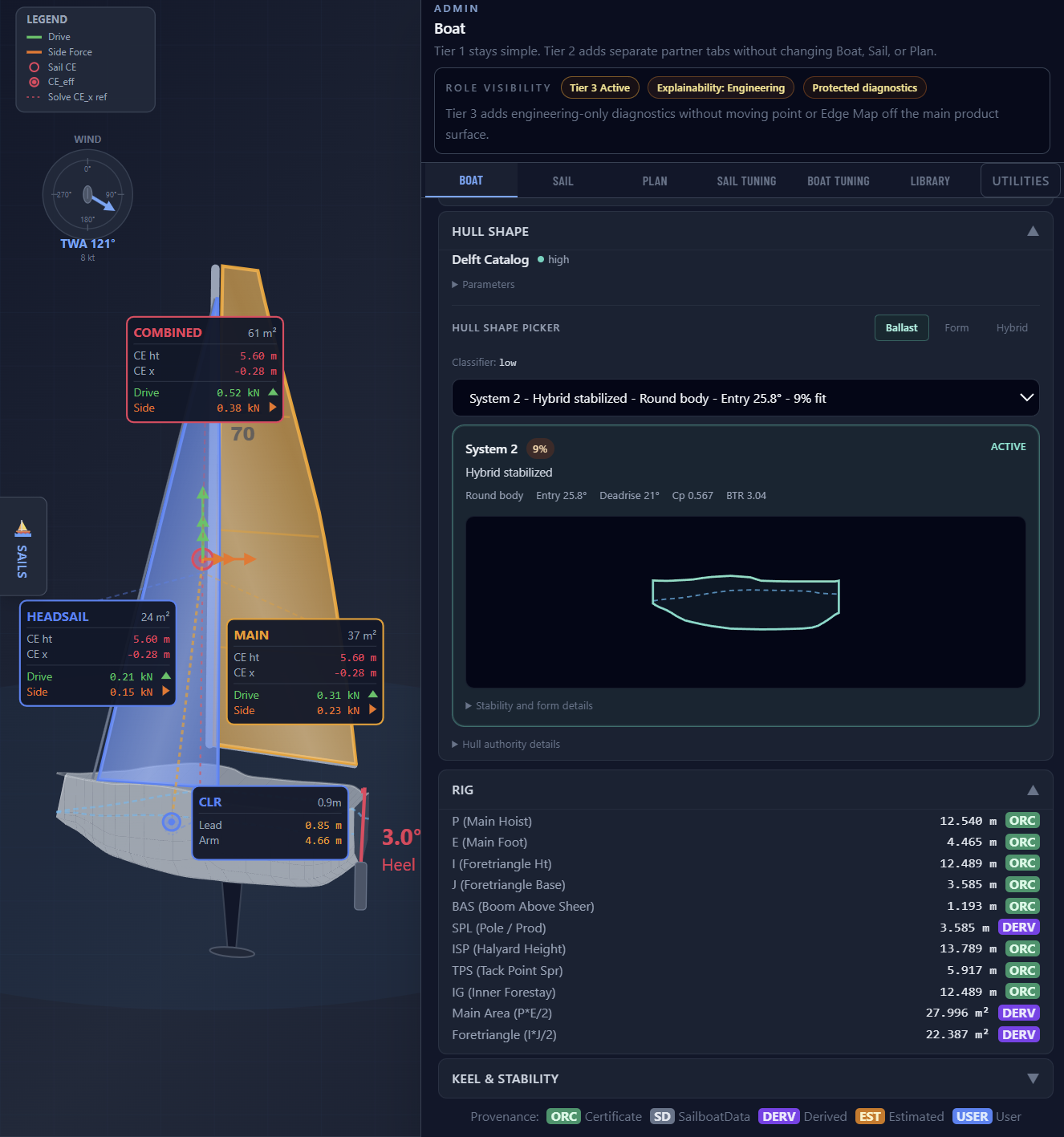
Explore Your Edge For Racers →Choose the hull family. Ballast, Form, or Hybrid.
Cross sections inside the hull outline. Sheer, waterline, keel.
The right hull before the edge map.
Switch between Ballast, Form, and Hybrid on the Boat tab. The ranked Delft candidates update. Pick one.
The selected hull appears as a profile card — cross-section station frames inside the hull outline, sheer line, waterline, and keel spine all visible. You see the shape before you commit.
Deep keel, narrow waterplane. Linear righting moment. The certificate RM holds across the heel range.
Wide beam, strong waterplane. Stiffer at low heel. Needs more help as heel increases.
Balanced stability from both beam and ballast. Moderate correction across the range.
If the hull family is wrong, the delta is wrong. Hull Shape puts that decision in front of you before you run the study.